

Tax season can be a challenging time for freelancers, as they navigate through the complexities of tax reporting while managing their businesses. They must streamline the tax reporting process to ensure accuracy and compliance with tax laws.
We, as self-employed workers, understand all your pain and what you’re going through, and today we wanna talk about simplifying tax season for independent workers. So without further ado, let's delve straight into this discussion.
Tax reporting. Freelancer tax guide
Tax season is often stressful time for self-employed workers, as it marks the period when they must report their income and expenses to the tax authorities. For freelancers, tax season typically falls between January and April, with varying deadlines depending on the country and tax jurisdiction.
During tax season, we are required to file our taxes accurately and on time to avoid penalties and fines. This involves calculating our income, deducting eligible expenses, and filling out the necessary tax forms. We are must also keep track of important deadlines, such as the deadline for filing taxes and making estimated tax payments.
One of the key aspects of tax season for us is understanding the various tax deductions and available credits. Entrepreneurs can deduct a wide range of expenses related to their business, such as office supplies, equipment, travel expenses, and professional services. Additionally, they may be eligible for tax credits, such as the home office deduction or the self-employment tax deduction.
Overall, tax season can be a stressful time, but with the right tools and knowledge, we can navigate through it successfully. In the next section, we'll discuss some of the common challenges during tax season and how Onigiri.one can help simplify the tax reporting process.
Challenges during tax season
Organizing receipts, invoices, and financial documents
We, as independent workers, must keep meticulous records of our income and expenses throughout the year to ensure accurate reporting to tax authorities. This can be especially challenging for those who work on multiple projects simultaneously or who have a high volume of transactions.Onigiri.one provides freelancers with an easy and efficient way to create and send invoices to clients. You can customize your invoices with branding and track payment status, making it easier to keep track of income for tax purposes.
Tracking expenses and categorizing them correctly
Categorizing expenses correctly and maintaining documentation to support each deduction can be time-consuming and complex. Without proper tracking, we may miss out on valuable deductions or even face penalties for inaccurate reporting.We can help you keep track of all your projects in one place. So you can easily see which projects are generating income and track expenses related to each project, making it easier to calculate deductions at tax time.
Maintaining documentation
Solopreneurs need to keep detailed records of their expenses and receipts to substantiate their deductions. This documentation is essential in case of an audit or if the tax authorities require verification of deductions.Navigating through various tax laws and regulations
Unlike traditional employees who may have standardized deductions, self-employed workers must navigate through various tax laws and regulations to determine which expenses are deductible. This requires a deep understanding of tax laws and often involves complex calculations.Ensuring accurate reporting to tax authorities
Freelancers must ensure that their tax returns are accurate and complete to avoid penalties and fines. This includes reporting all income, claiming all eligible deductions, and filing on time. Our document sharing feature make it easy for you to share important documents with your accountant or tax advisor. You can securely share documents such as receipts, invoices, and bank statements, ensuring that all necessary information is available for tax reporting.Managing multiple projects simultaneously
Gig workers who juggle multiple projects or have a high volume of transactions may find it challenging to keep track of their income and expenses. This can lead to errors in reporting and potential issues with tax authorities.With Onigiri.one, independent contractors can manage as many clients as they want without any extra payments. This feature is particularly beneficial for people who work with multiple clients simultaneously, as it allows them to keep track of income and expenses for each client separately.
Overall, we provide self-employed professionals with the tools they need to simplify tax reporting and ensure compliance with tax laws. By leveraging the platform's features, entrepreneurs can streamline their tax reporting process and focus on growing their business.
Step-by-step guide to using Onigiri.one for tax reporting
1. Sign up
Visit the Onigiri.one website and sign up for an account. You can try it for free for 14 days with no credit card required.

2. Set up your profile
Once you've created an account, set up profile by adding details about your business, such as your business name and contact information.
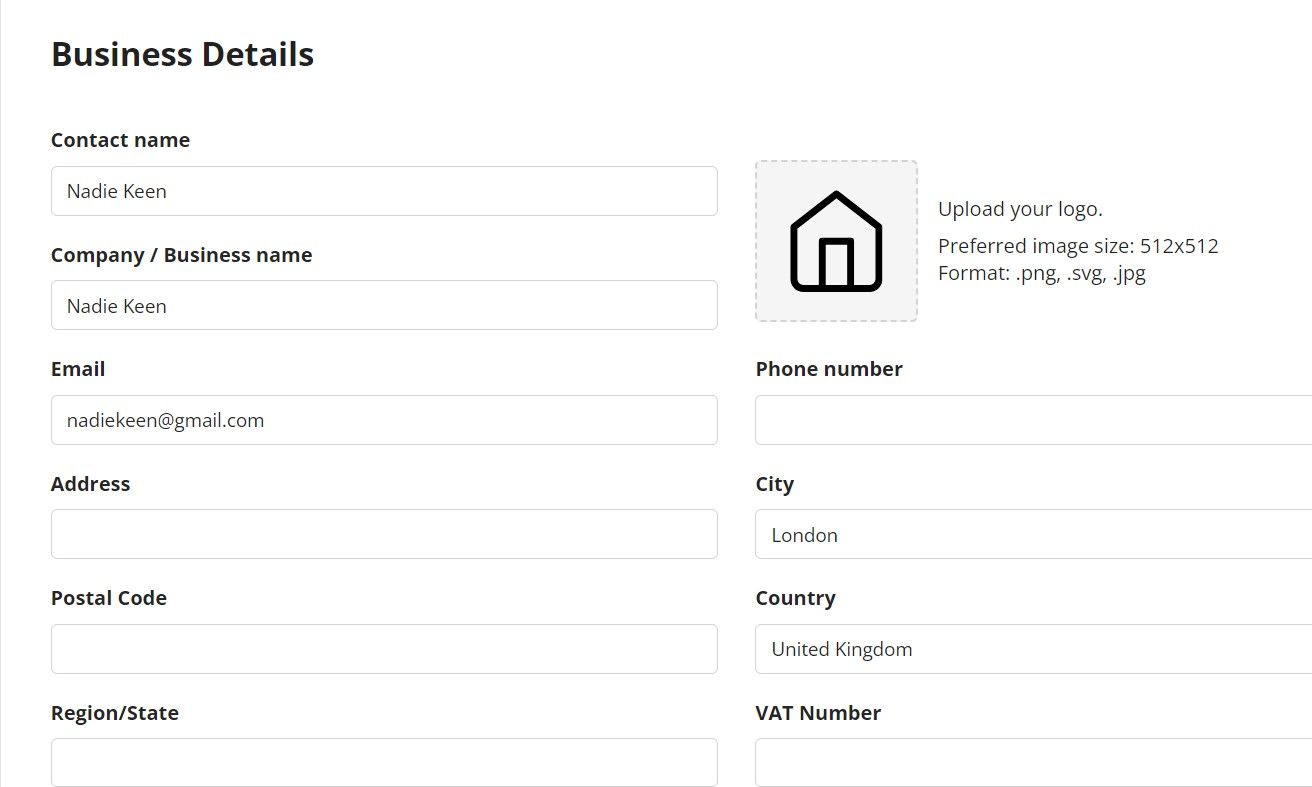
Business details form for invoice
3. Add clients
To start using Onigiri.one for tax reporting, add your clients to the platform. This will allow you to track income from each client and generate invoices. You can also add some private notes, its only for you, we wont show it to anyone:)
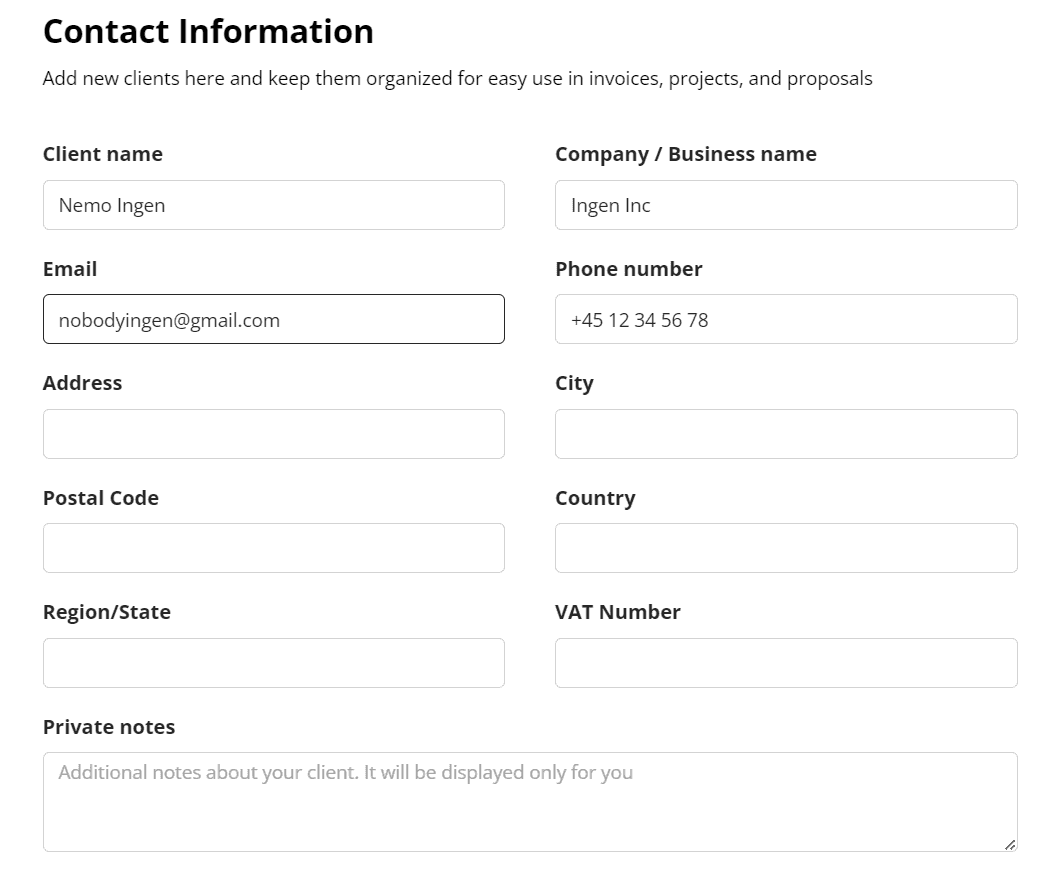
Client details form for an invoice
4. Create and send invoices
Use our invoicing feature to create and send invoices to your clients. Customize your invoices with your branding and include all relevant information.
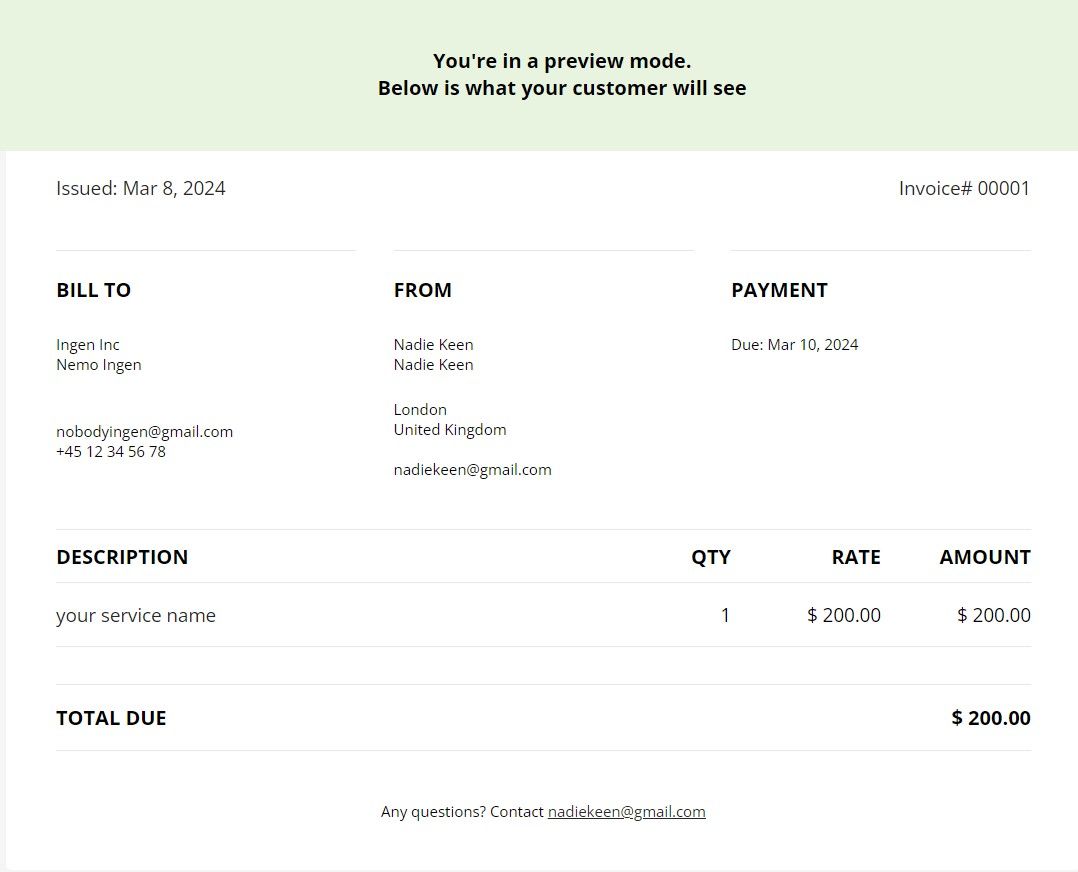
Invoice preview
5. Integrate
Onigiri.one will allow you transfer all the data necessary for filling out tax reports to convenient accounting software such as QuickBooks or Xero. These reports can be used to fill out your tax forms. (We are constantly working on this feature, and hope that it will be available to all Onigiri users very soon)
6. Share documents
Use our document sharing feature to securely share tax-related documents with your accountant or tax advisor.
7. Review and file your taxes
Once you've completed all the necessary steps, review your tax reports and file your taxes according to the requirements of your tax jurisdiction.
So thats it! If you've followed these simple steps, you are now officially part of our community, happy to have you here. As a welcoming gift, we're offering additional tips and freelance tax solutions to assist you.
Tips for a smooth tax season
Keep accurate records. One of the most important things you can do to make tax season easier is to keep accurate records throughout the year. This includes keeping track of all income, expenses, and receipts related to your freelance work. Invoicing for tax purposes is essential for managing business finances.
Consult with a tax professional. Self-employed workers often have unique tax situations, so it's a good idea to consult with a tax professional to ensure you're taking advantage of all available deductions and credits. A tax professional can also help you navigate any complex tax issues that may arise.
Stay organized. Organization is key during tax season. Keep all your tax-related documents in one place and create a system for tracking income and expenses. This will make it easier to prepare your tax return and avoid last-minute scrambling.
Use tax software. Consider using tax software to help you prepare your tax return. Many tax software programs are designed specifically for entrepreneurs and can help you maximize your deductions and credits.
Plan ahead. Don't wait until the last minute to start preparing your tax return. Start gathering your documents early and give yourself plenty of time to review and file your taxes.
Conclusion
Tax season doesn't have to be a headache for anyone. By following a few simple tips and leveraging the right tools, you can make tax season more manageable.
Our mission is to simplify tax reporting for freelancers, allowing them to focus on growing their business. Join us! Your business deserves the best, and we are here to help you succeed.
Wishing you all the best in your freelance endeavors! If you have any questions or need further assistance, don't hesitate to reach out. Take care, and happy freelancing!


