
How to fill out this sales receipt
- Download the sales receipt template in Word, Excel or as a fillable PDF, or fill it in online below.
- Add your shop or business name and contact details. Add the customer’s name if you have it; for walk-in sales it can stay short.
- Give the receipt a unique number and the date of the sale.
- List each product with the quantity and unit price, then add sales tax at your rate.
- Add the payment method, such as “Card ending 1187”, and your return policy in the notes, then print it or send the PDF.
What’s in this sales receipt template
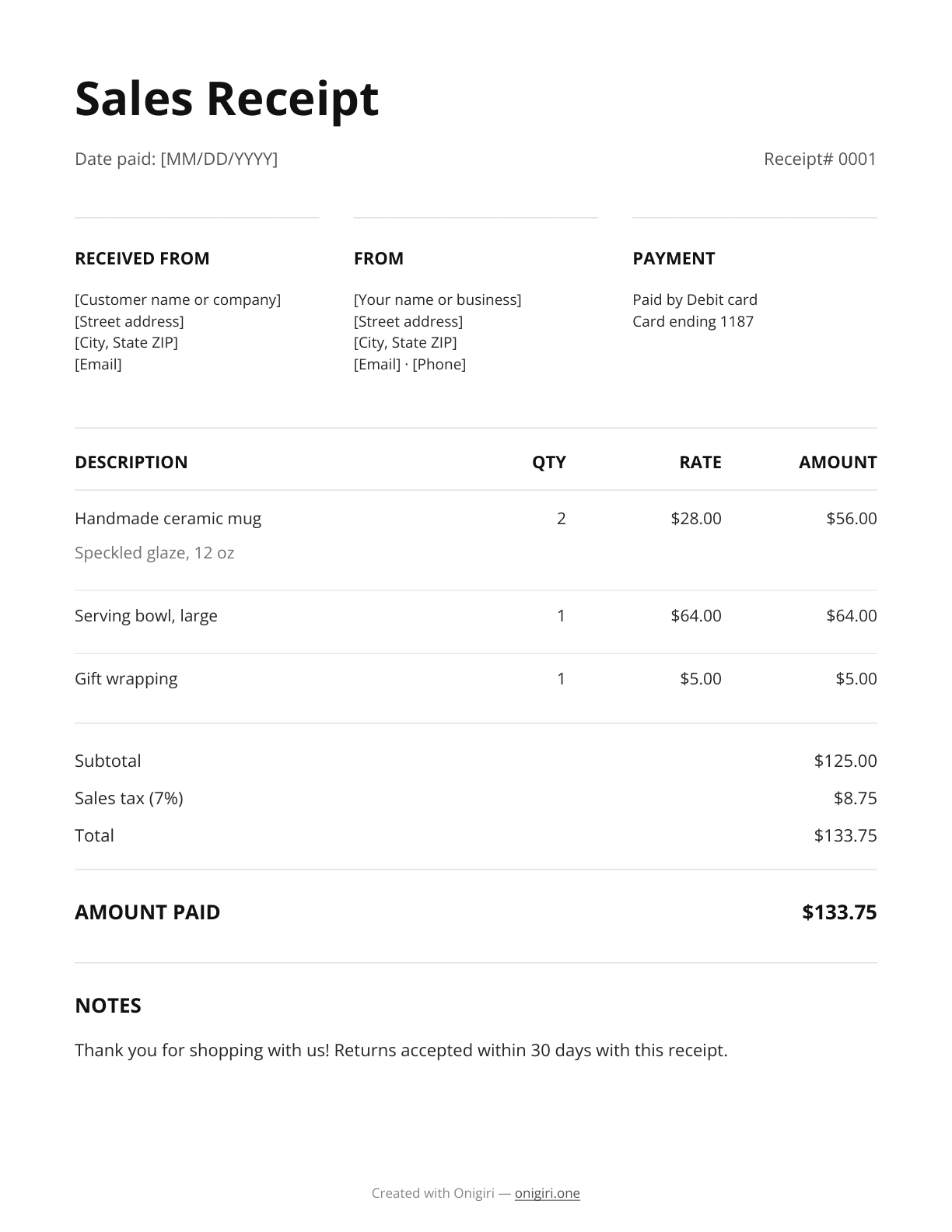
- Sample lines for a pottery sale: two mugs, a serving bowl and gift wrapping
- Received from, From and Payment sections, with the card’s last 4 digits
- Receipt number and sale date
- Subtotal, a 7% sales tax row you can change, the total and the amount paid
- A notes line with a sample 30-day return policy
- Totals that calculate themselves in Excel and the fillable PDF
Online generator
Change the line items, add your logo and download a ready PDF. No sign-up, nothing to install, and your draft stays in your browser.
- Send invoices as a link clients open on any device
- See which invoices are paid, sent or overdue
- Track your income in one place
Example
This is the sample sales receipt from the template: two handmade mugs at $28, a large serving bowl and gift wrapping, paid by debit card. The Word, Excel and PDF versions add 7% sales tax.
| Line item | Amount |
|---|---|
Handmade ceramic mug Speckled glaze, 12 oz | $56.00 2 × $28.00 |
Serving bowl, large | $64.00 |
Gift wrapping | $5.00 |
Notes: Thank you for shopping with us! Returns accepted within 30 days with this receipt.
Receipt checklist
A sales receipt confirms a sale that’s paid on the spot, so it doubles as the customer’s proof of purchase for returns and warranties. It should show each item, the tax and how they paid.
- Your business details. Your name or business name, address and phone or email, so the customer knows who was paid.
- Who paid. The customer’s name, plus an address or email if you have it.
- Receipt number and date. A unique number in sequence (0001, 0002…) and the date the payment came in.
- Each product. The product name, quantity, unit price and amount.
- Sales tax and total. The subtotal, the sales tax at your rate and the total.
- Amount paid. What you received. For a deposit or part payment, add the balance still due.
- Payment method. Cash, check, card or transfer, with the check number or the card’s last 4 digits.
- Return policy. How long the customer has to return or exchange, and what they need to bring.
Good to know
Sales receipts are short, but a few details save trouble with returns and taxes.
Charge the right sales tax
Rates and what’s taxable depend on your state and sometimes your city. Show the tax as its own row; the sales tax calculator works out the amount.
- 30 days
Print your return policy
Put your return or exchange window in the notes, such as 30 days with the receipt. It answers the question before it’s asked.
Name products clearly
Use names a customer recognizes, with a size or color if it matters, so a return or warranty claim is easy to match to the sale.
- 0001
Number every sale
Use a new receipt number for each sale, in order. It makes refunds and your end-of-month totals easy to check.
Keep a copy
Keep a copy of each sales receipt with your records. You’ll need the totals and the tax collected when you file sales tax returns.
Formats
Sales receipt template in Word
Best if you want to change the layout or fonts or add your logo. Edit the text, then save it as a PDF before you send it.
Download .docxSales receipt template in Excel
Amounts, the total and any balance update as you type, and there’s a sales tax row. Handy for receipts with many line items.
Download .xlsxFillable PDF sales receipt template
Type straight into the fields in Chrome or Adobe Acrobat and the totals add up. The layout stays fixed, so nothing shifts by accident.
Download .pdf
Template or app
A template is fine for the odd receipt. If you bill clients every month, Onigiri keeps your clients, invoices and payment status in one place.
| Onigiri | Free receipt template | |
|---|---|---|
| Price | Starting at $0 | Free |
| Edit it and save a PDF | ||
| Invoice link your client opens on any device | ||
| Invoice marked Paid when the client pays by card | ||
| See which invoices are paid or overdue | ||
| Saved clients for the next invoice | ||
| Income tracking | ||
| Works in Word, Excel and PDF |
More templates
From the blog

Nov 2, 2026
Invoice vs receipt: what's the difference and when to send each
An invoice asks for payment; a receipt confirms it. Here's when to send each, what each must include, and examples of both for a freelance job.

May 17, 2024
What is an itemized invoice? Meaning, structure and example
What an itemized invoice is, what to include, and a worked example with line items, discount and total. Plus tips for line items clients approve fast.

Mar 23, 2024
How to make an invoice: a step-by-step guide
Learn how to make an invoice step by step: what to include, how to number it, which payment terms to set and how to send it so clients pay on time.
Ready to get paid faster?
Bill clients with Onigiri: send the invoice as a link, see at a glance whether it’s paid or overdue, and let clients pay by card.