

Welcome to the world of freelancing, where your skills and creativity drive your success. As a freelancer, you're not just a professional; you're also a business owner, managing everything from client relationships to project delivery. One crucial aspect of this role is invoicing — sending out clear, accurate, and timely invoices ensures you get paid for your hard work.
Additionally, if you're looking for guidance on how to write an invoice, be sure to check out our article on the topic. It's a valuable resource that can help you improve your invoicing practices.
However, invoicing for freelancers can be a challenging task, especially when you're juggling multiple projects and clients. Mistakes can happen, but they can also be avoided with the right approach. In this article, we'll explore some common invoicing mistakes freelancers make and how you can avoid them.
Incomplete invoices
An incomplete invoice is like a puzzle missing a piece — it's frustrating and can lead to delays in payment. Including all necessary information in your invoices is crucial for ensuring that your clients understand what they're paying for and how much they owe.
To avoid this mistake your invoice must contain this info:
Client information
Make sure to include your client's name, address, and contact information. This ensures that the invoice is sent to the right person and can be easily processed by their accounts payable department.Service details
Clearly list the services you've provided, along with the quantity and price for each. This helps your client understand the value they're receiving and reduces the likelihood of disputes over charges.Payment terms
Specify your payment terms, including the due date and any late payment penalties. This sets clear expectations for your client and helps you get paid on time.Total amount due
Provide a clear total amount due at the bottom of the invoice. This makes it easy for your client to see the total cost of the services provided.
Onigiri.one is your invoicing ally, ensuring that your invoices are complete and professional every time. We are offering you customizable templates. With just a few clicks, you can add client details, service descriptions, payment terms, and total amounts, ensuring that your invoices are comprehensive and clear.
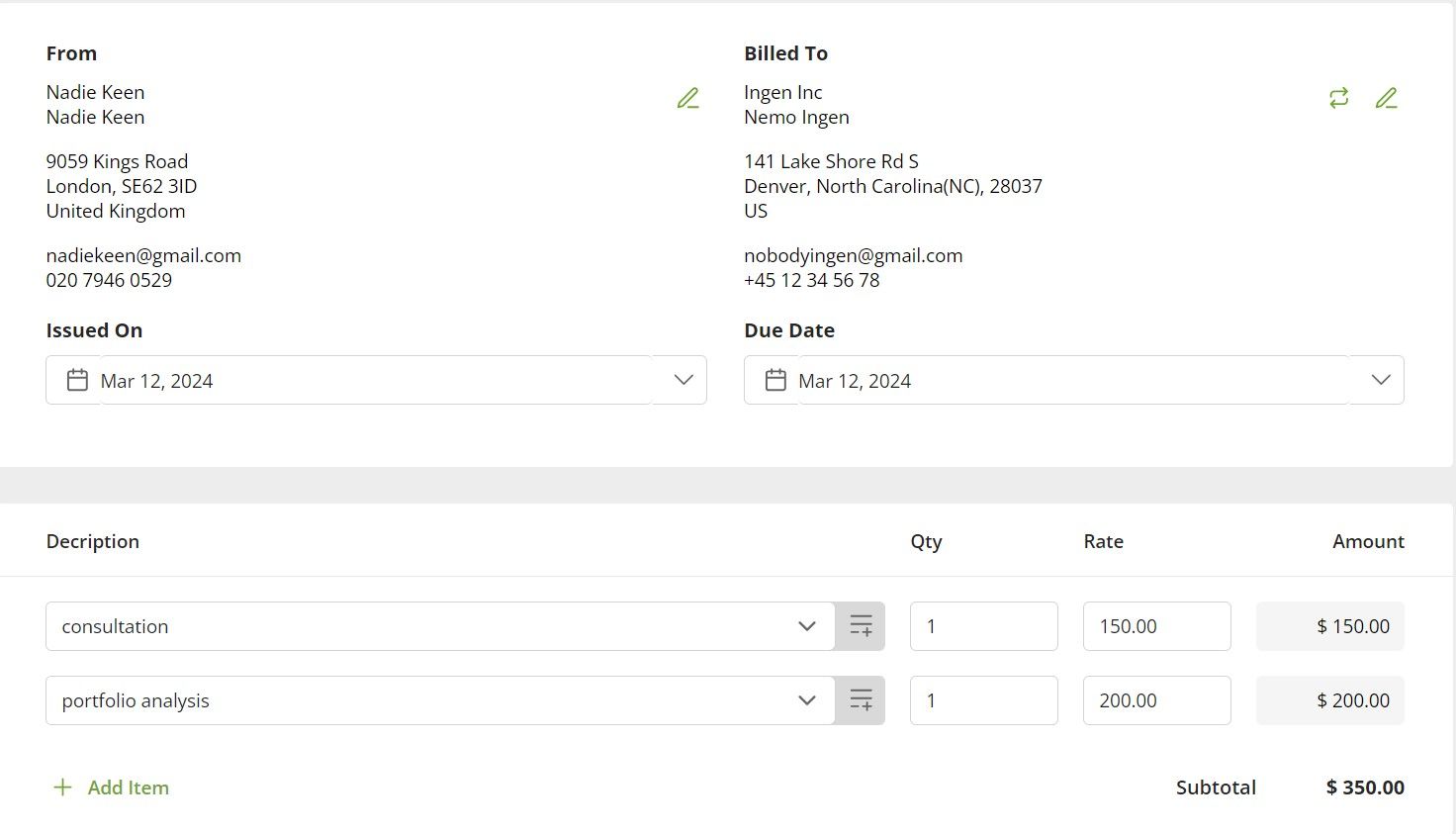
Professional appearance
Impress your clients with professional-looking invoices. Onigiri's templates are designed to be visually appealing and easy to read, enhancing the professionalism of your invoices. Also there is a preview mode, where you can check your invoice before sending it to your customer.
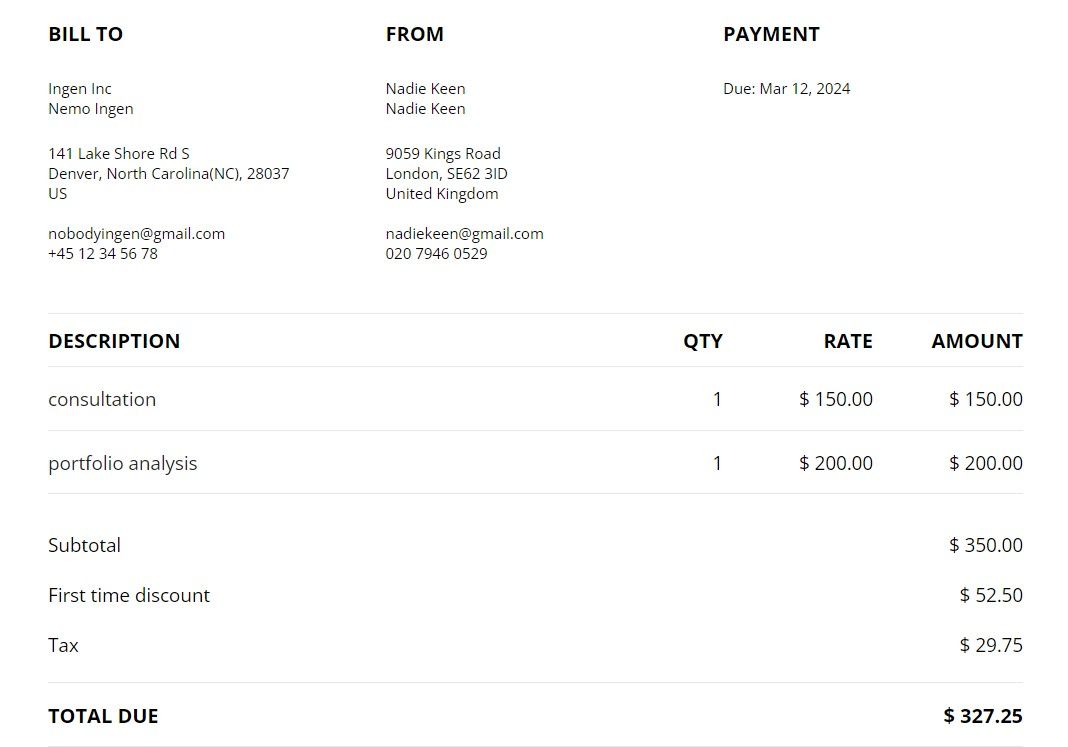
Inconsistent invoicing
Invoicing for us is more than just sending bills — it's a crucial part of maintaining a thriving business. Inconsistent invoicing practices can create confusion and frustration for both entrepreneurs and clients. Here are some common problems caused by inconsistent invoicing:
Cash flow issues
Inconsistent invoicing can lead to irregular income streams, making it difficult for self-employed workers to manage their finances effectively.
Client confusion
Clients may become confused or frustrated if they receive invoices at unpredictable times or with inconsistent formats. This can harm client relationships and lead to delays in payment.
Missed deadlines
Without a consistent invoicing routine, we may forget to send invoices on time, resulting in missed payment deadlines and potential late fees.
To establish a consistent invoicing routine, consider those freelancers invoicing tips:
Utilize invoicing software
Invest in invoicing software like Onigiri. It automates the invoicing process and allows you to create and send invoices quickly and easily. This will help you stay organiziedUse calendar reminders
Set up recurring reminders in your calendar to prompt you to create and send invoices at regular intervals. This can help you stay on track and ensure that you invoice clients promptly.Create a schedule
Establish a regular schedule for invoicing, such as sending invoices at the end of each week or month. Stick to this schedule to ensure that you invoice clients consistently.
By following these tips, you can establish a consistent invoicing routine that helps you maintain a professional image, improve cash flow, and build stronger client relationships.
Late invoicing
Here's why timely invoicing is important.
Cash flow disruption
It can lead to delays in receiving payments, causing disruptions to your cash flow. This can make it challenging to cover expenses and manage your finances effectively.
Client perception
Late invoicing can create a negative impression of your professionalism and reliability. Clients may question your ability to deliver on time and may be less likely to work with you in the future.
Missed opportunities
Delayed invoicing can result in missed opportunities to take advantage of early payment discounts or to secure future work from satisfied clients.
To maintain a steady cash flow and ensure client satisfaction, it's crucial to avoid invoicing errors by implementing strategies such as setting specific invoicing days and using automated invoicing tools.
Onigiri.one offers automated invoicing features that can help you avoid late invoicing. We are ensuring that your invoices are sent on time and that you receive timely payments.
Also you should try setting specific invoicing days - designate specific days each month for invoicing to ensure that you consistently send out invoices on time. This can help you stay organized and avoid missing invoicing deadlines
Incorrect calculation of fees
Incorrectly calculating fees can lead to serious consequences for solopreneurs. Here's why accurate calculations are important:
Financial loss
Billing errors can result in undercharging or overcharging clients, leading to financial losses for your business.Client disputes
Inaccurate invoices can lead to disputes with clients, damaging your professional reputation and potentially leading to loss of business.Legal issues
In some cases, billing errors can result in legal issues, especially if clients feel they have been overcharged and decide to take legal action.
To avoid financial loss and maintain client trust, self-employed individuals should implement robust invoicing mistakes solutions, such as using automated invoicing software and double-checking their calculations.
We're here to make your freelancing life easier. Say goodbye to manual calculations! Onigiri automatically calculates totals based on the services you've provided and the rates you've set, reducing the risk of errors in your invoices. Also you can add a discount and tax!
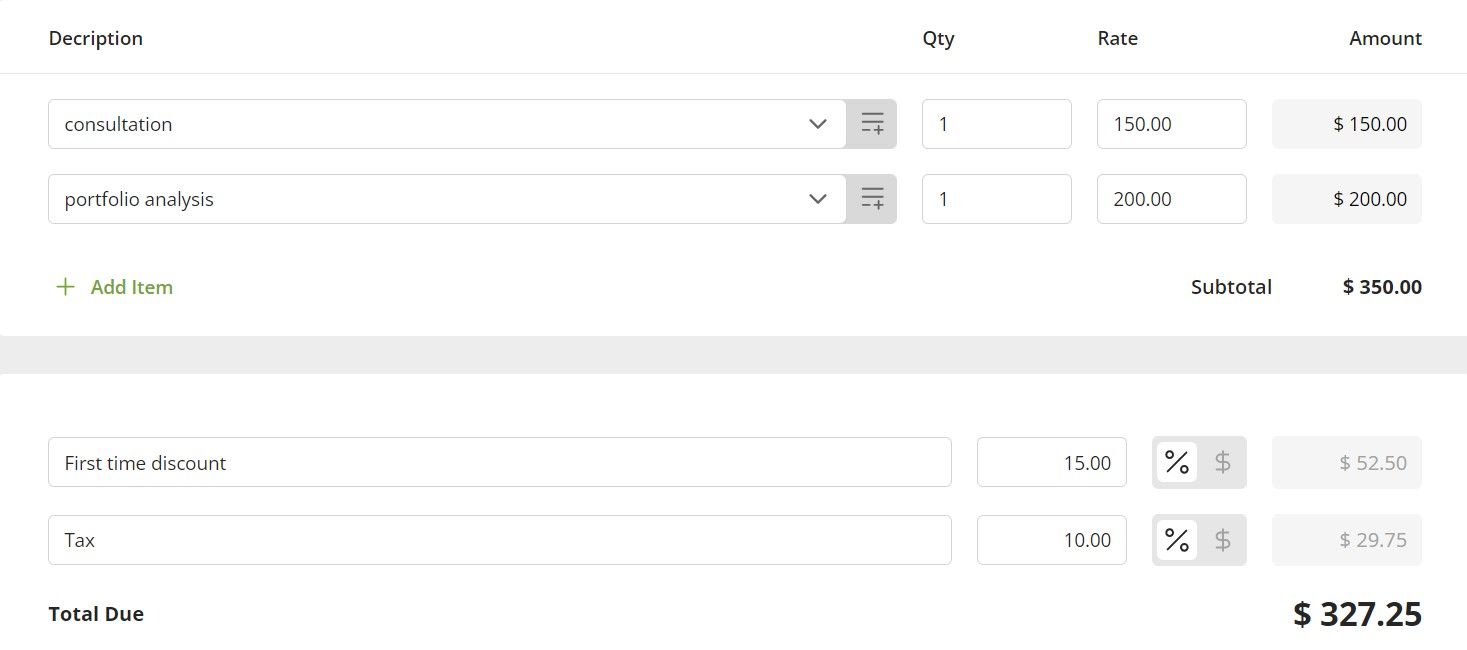
We're always looking forward to calculating all your totals accurately, ensuring that your invoices are error-free and professional. This can help you avoid manual calculation errors and ensure that your invoices are accurate.
Double-check calculations
Even if you use invoicing software, it's important to double-check your calculations manually. This extra step can help you catch any errors before you send out the invoice.
Keep detailed records
Maintain detailed records of your work and the fees associated with each project. This can help you ensure that you're billing clients accurately and can provide documentation in case of disputes.
Lack of payment terms
To ensure prompt payments and maintain professional relationships, self-employed workers should implement clear payment terms as part of their freelance billing best practices. Here's why clear payment terms are essential
Avoids misunderstandings
Clear payment terms help avoid misunderstandings between entrepreneurs and clients regarding payment expectations, reducing the likelihood of disputes.Encourages timely payments
Well-defined payment terms, including due dates and late payment penalties, encourage clients to pay on time to avoid additional charges.Professionalism
Clearly outlining payment terms in invoices demonstrates professionalism and helps establish trust with clients.
To set payment terms that encourage timely payments, consider the following suggestions:
Specify due dates
Specify the due date for payment on your invoices. This gives clients a clear deadline and helps avoid payment delays.
Onigiri's invoice templates include fields for specifying due dates, making it easy for you to set clear deadlines for payment.

Offer early payment discounts
Consider offering discounts for early payment to encourage clients to pay promptly.
Ours customizable invoice templates also allow independent professionals to offer discounts for early payment, encouraging prompt payment from clients.
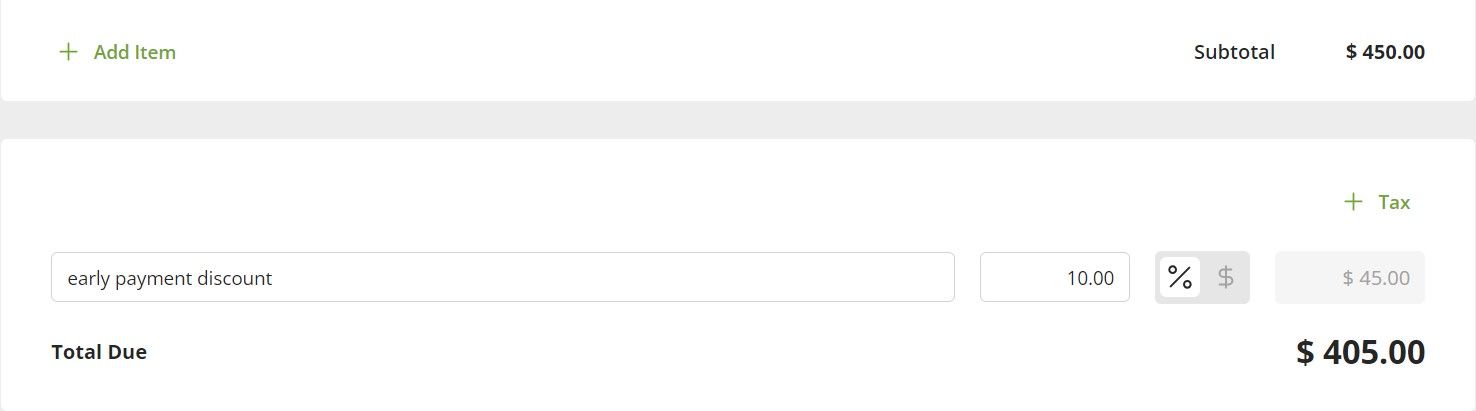
Communicate payment terms clearly
Ensure that your payment terms are clearly communicated to clients before starting work and include them in your contracts and invoices.
By setting clear and fair payment terms, you can improve cash flow, reduce payment delays, and maintain positive client relationships.
Conclusion
Invoicing doesn't have to be a headache for freelancers. By avoiding common invoicing mistakes and implementing best practices, independent professionals can streamline their invoicing process and ensure timely payments from clients.
By implementing these invoicing mistakes solutions, self-employed workers can ensure that their invoicing practices are efficient, accurate, and professional.
Remember, invoicing is not just about getting paid. It's about maintaining professionalism, improving cash flow, and building strong client relationships. At Onigiri.one, we're here to help you every step of the way. Don't let invoicing mistakes hold you back. Join us today and take your invoicing to the next level!
Keep invoicing smoothly, freelancers!


